Skip to content
Osaurus
Beta · Free on TestFlight

Power of your desktop,
in your pocket.

Osaurus for iPhone pairs with the Osaurus app on your Mac. Chat with your agents, talk to them on a call, and make images, while the models, memory and tools stay on your own Mac.

  • Free
  • No account
  • iPhone and iPad
  • End-to-end encrypted

The Mac does the work.
The phone goes with you.

Everything you set up on the Mac is ready on the phone: the agents, their models, memory and tools.

Chat

Ask from the couch. Your Mac answers.

Pick an agent and watch the reply stream in, with each tool it used along the way. It is the same agent as on your Mac, with the same memory.

  • Every agent from your Mac
  • Switch agents without leaving the chat
  • Files the agent shares open in place
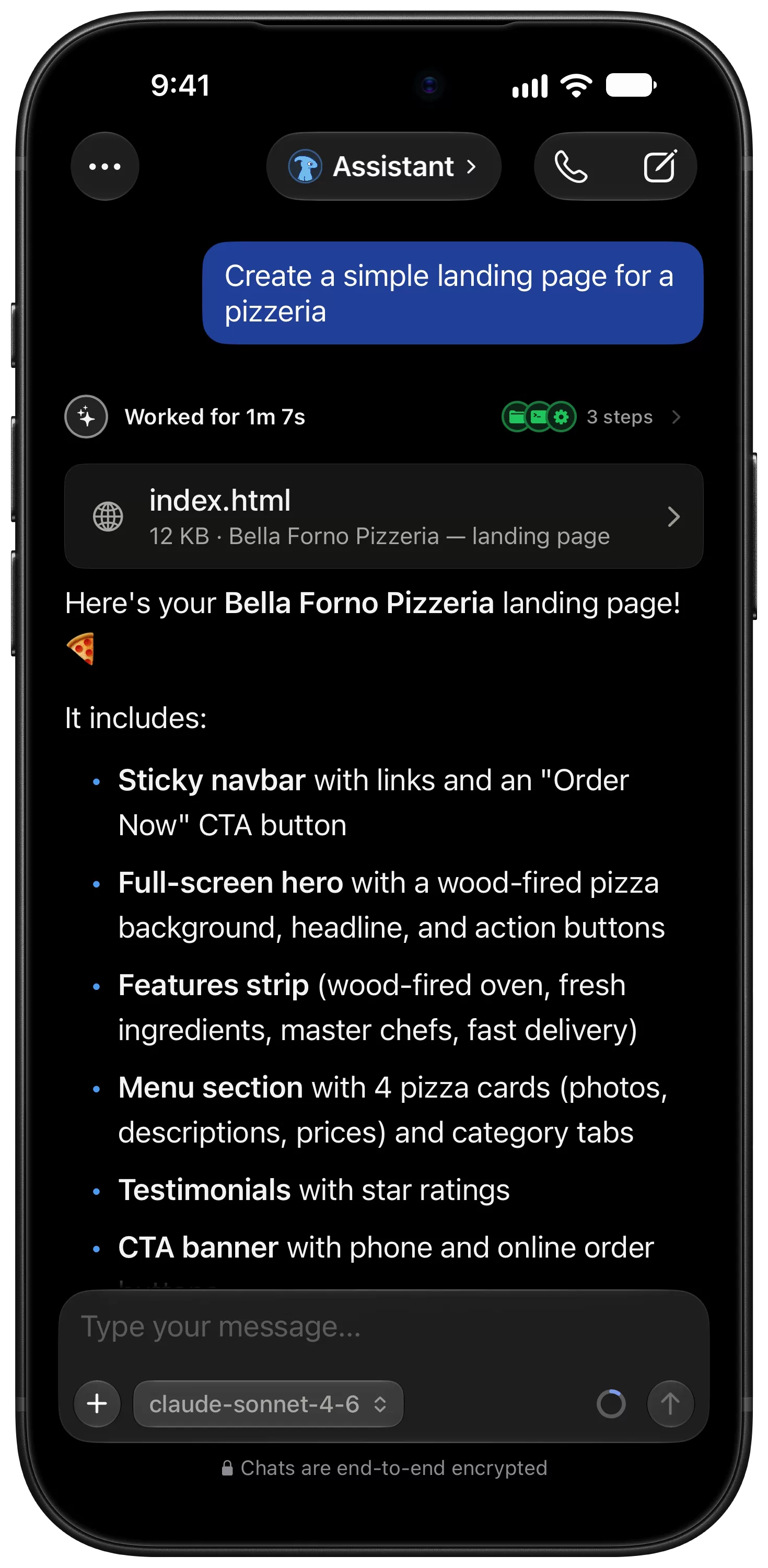
An agent on iPhone that built a pizzeria landing page, showing the steps it took and the index.html file it made.
Calls

Talk to an agent, hands-free.

Start a call and just speak. Speech is recognised on the phone, and the agent answers out loud with the model on your Mac.

  • Ask for short replies to keep it quick
  • Say goodbye and it offers to end the call
  • Works with local and cloud models
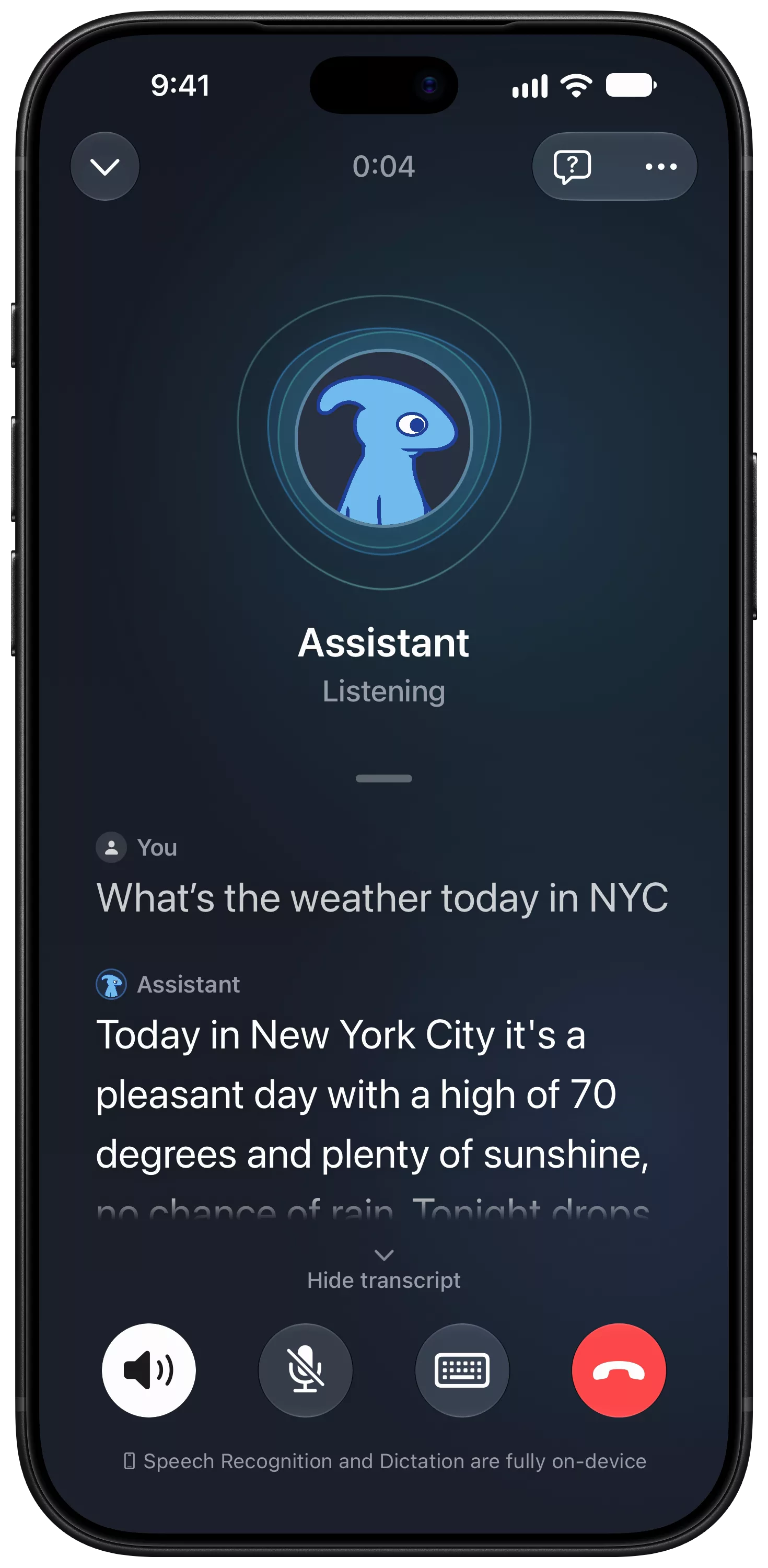
A voice call with an agent on iPhone, with a live transcript of a question about the weather in New York and its answer.
Images

Make images on your own hardware.

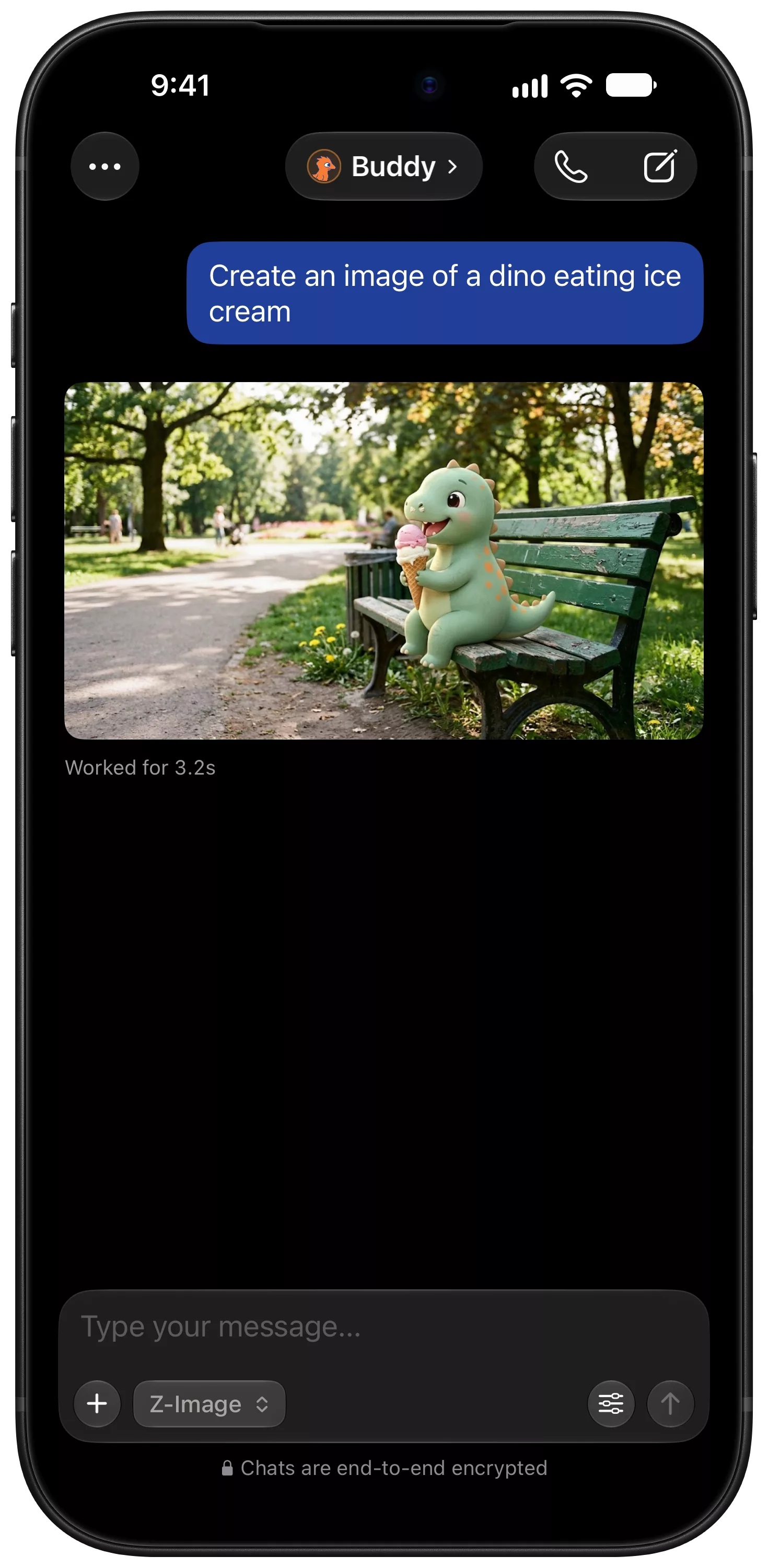
Describe it on the phone, and the image models on your Mac draw it. Nothing goes to an image service unless you chose a cloud model.

  • Size, steps, guidance and seed
  • Keeps going if you leave the app
  • Saved in the chat with its settings
An image made on the Mac with Z-Image, shown on iPhone: a toy dinosaur eating ice cream on a park bench.
iPad

Made for the bigger screen.

On iPad, Osaurus is laid out like an iPad app, not a stretched phone. Your chats sit in a sidebar, and everything stays in a column you can read.

  • Chats in a sidebar beside the conversation
  • Pick an agent from a popover
  • Works in any size of window, side by side with other apps
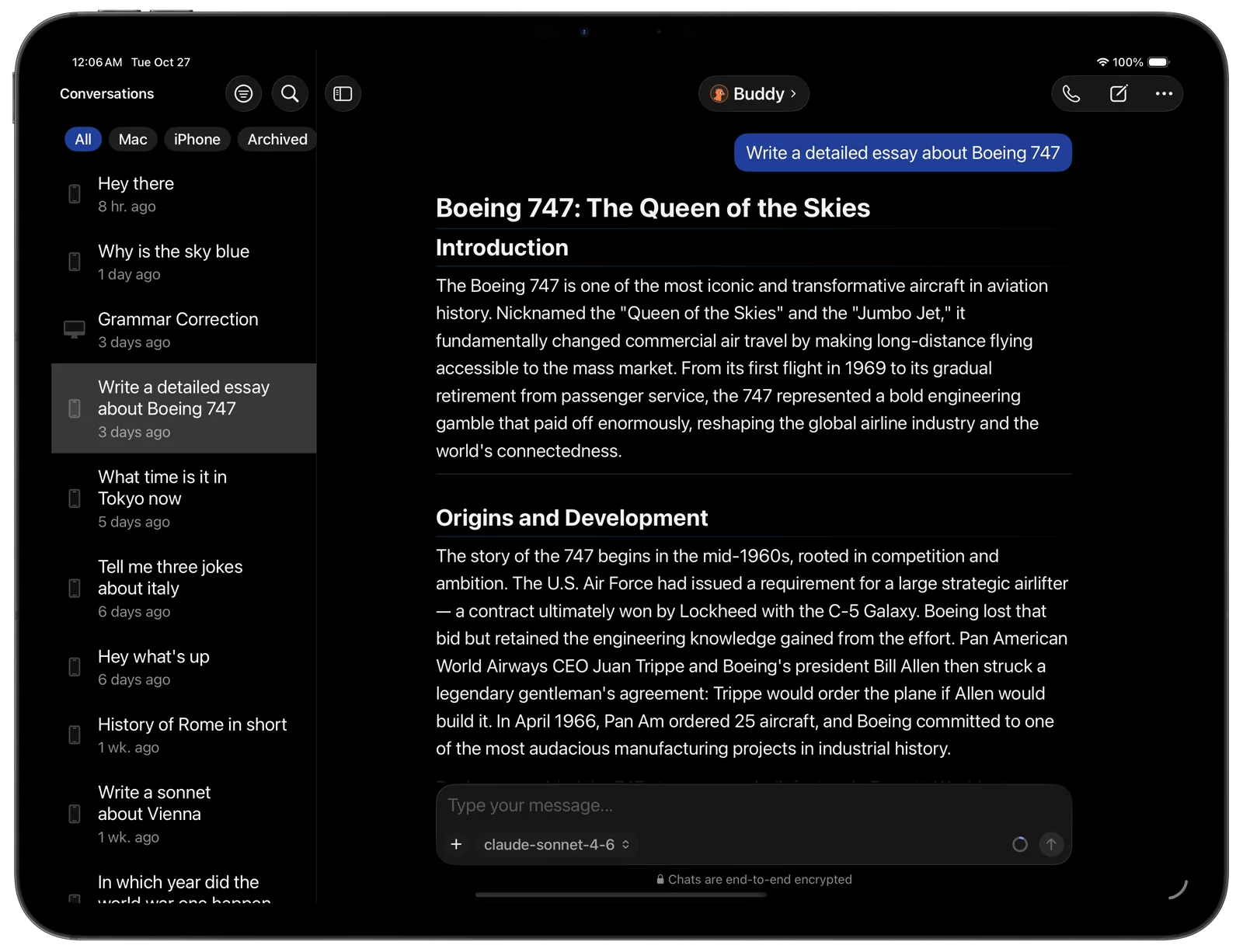
Osaurus on iPad, with the conversations sidebar beside an agent's essay about the Boeing 747.
iPhone Duo

Fold it, unfold it.

The layout follows the screen as you open and close it. Unfolded, chats and calls get the room of a small tablet, with the controls gathered in a side bar.

  • Adapts as the screen changes size
  • Buttons move into one side bar when unfolded
  • Calls and chats keep a readable column
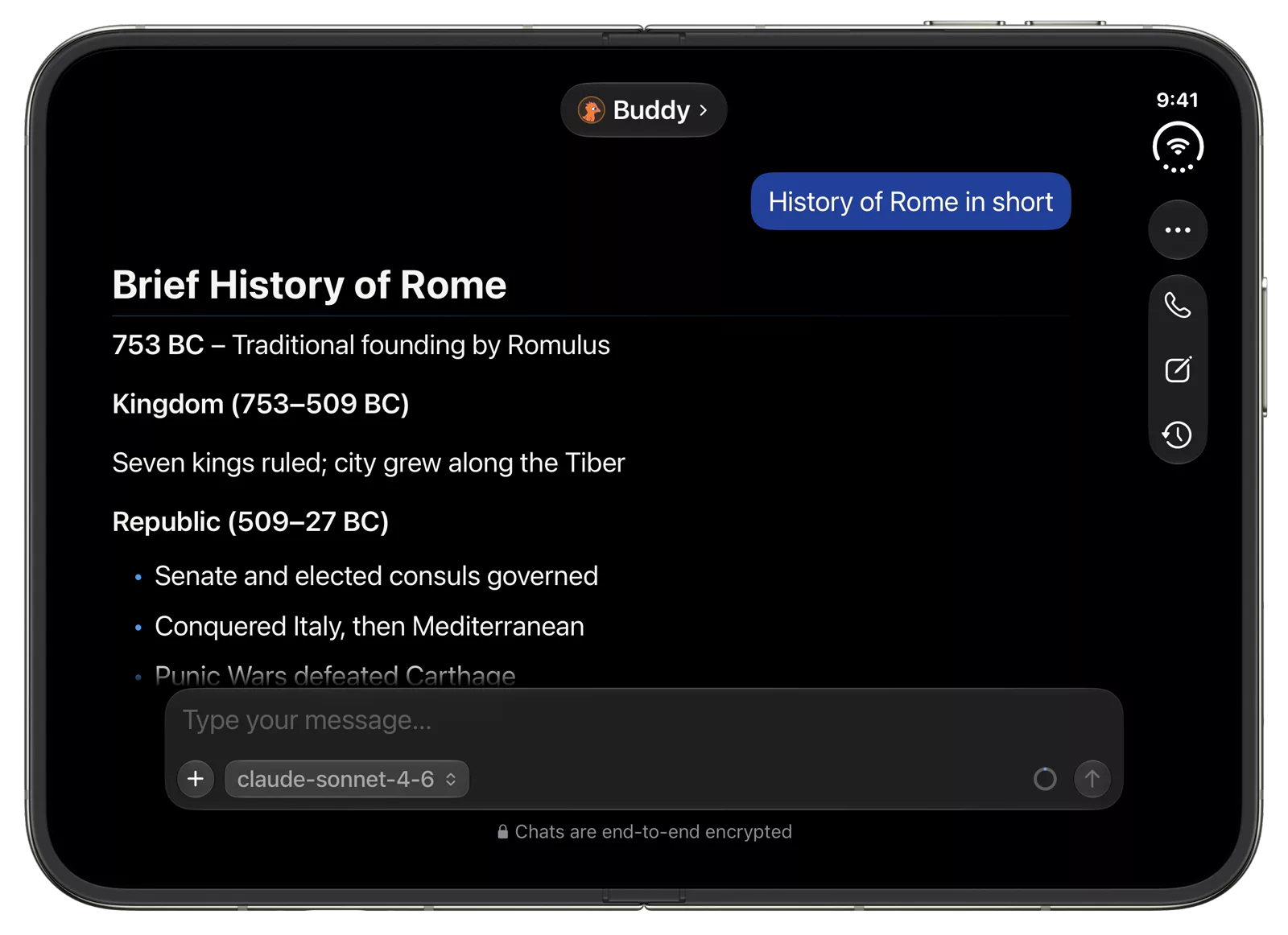
Osaurus on an unfolded iPhone Duo, with a chat about the history of Rome and its buttons in a side bar on the right.

Everything your Mac can do.
From anywhere in the house.

The phone is a window onto your Mac. Every agent you set up there is ready on the phone, with nothing to configure twice.

  • Chat with any agent.

    Pick an agent and watch the reply stream in, with the tools it used along the way. Switch agents without leaving the chat.

  • Call your agents.

    Talk to an agent hands-free. Speech is recognised on the phone, and you can ask it to keep replies short.

  • Make images.

    Generate images with the models on your Mac, with control over size, steps and seed.

  • Open what agents share.

    When an agent points at a file on your Mac, tap the card to fetch it and preview it in place.

  • Replies keep going.

    Lock the phone or switch apps. The Mac keeps working, and the reply is waiting when you come back.

  • Any model your agent uses.

    Local or cloud, the phone uses whatever model the agent has on your Mac. Change it there, and the phone follows.

Paired in a minute.

There is no account and no cloud relay. The phone talks to your Mac directly.

  1. Install Osaurus on your Mac.

    Download it free. Set up an agent and a model there.

  2. Join the beta on your iPhone.

    Install Osaurus from TestFlight.

  3. Enter the pairing code.

    On the Mac, open Settings, then Osaurus Connect, and generate a code. Type it on the phone while both are on the same network.

Private by default.

Your chats, keys and models stay on your Mac. The phone only shows you what the Mac is doing.

  • End-to-end encrypted.

    Pairing sets up a key only your phone and your Mac know. Every request after that travels encrypted, even on your own network.

  • Nothing runs in our cloud.

    Local models answer from your Mac. A cloud model is only used if you chose one for that agent on the Mac.

  • No account.

    Install, pair and start. There is nothing to sign up for.

  • Analytics are your choice.

    The app asks before it sends anonymous usage counts, and you can change your mind in Settings.

What you need.

The iPhone does the talking. Your Mac does the thinking.

On your iPhone or iPad

  • iOS 26 or iPadOS 26, or later
  • TestFlight, free from the App Store

On your Mac

  • Osaurus for Mac, on macOS 15 or later
  • At least one agent with a model
  • The same network as the phone, to pair

Still have questions?

Ask the people who build it in the Osaurus community.

Join the TestFlight beta

Own your AI. On your iPhone.

Free on TestFlight. No account, no subscription. You need Osaurus on your Mac to pair with.

The newsletter

Release notes, new skills, and product news. No spam.

No spam. Unsubscribe anytime.