Skip to content
Osaurus
Public beta · Free on the Microsoft Store

Own your AI.
On Windows.

AI agents that live on your PC. They read your files, run commands, browse the web, and keep working while you are away. Run open models on your own graphics card, or connect the cloud models you already use.

  • No account
  • x64 and ARM64
  • Native Windows app
  • Encrypted on disk
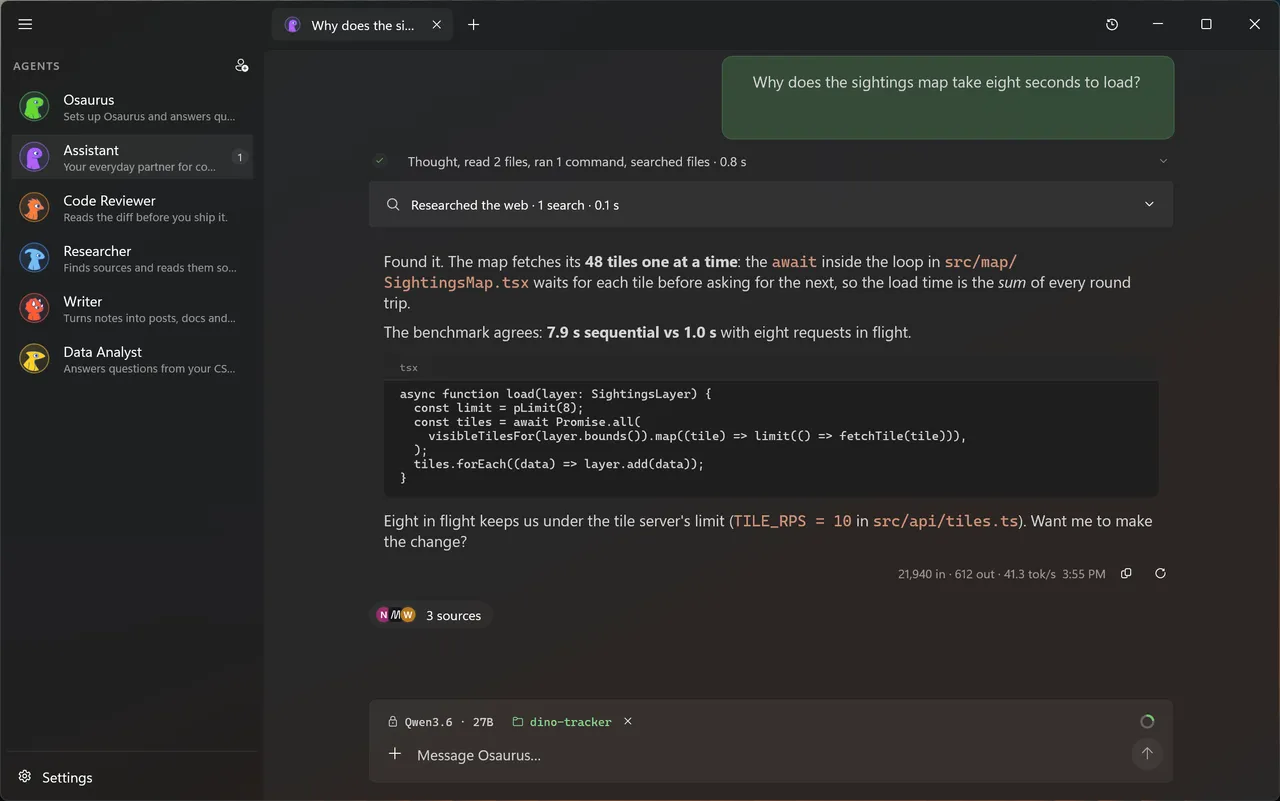
Osaurus for Windows running an open-source AI model on a PC, showing the agents sidebar and a new chat.

Agents that do the work.

Osaurus does the job instead of handing you an answer to copy and paste. Give it a goal and a folder, and follow each step.

Agents

Ask once. It reads, runs, and reports back.

An agent reads the files, runs PowerShell and git, searches the web, and shows every step it took. For a bigger job, agents split the work and report back.

  • Reads and edits files, documents, and PDFs
  • Runs commands in PowerShell, with git built in
  • Searches the web and cites its sources
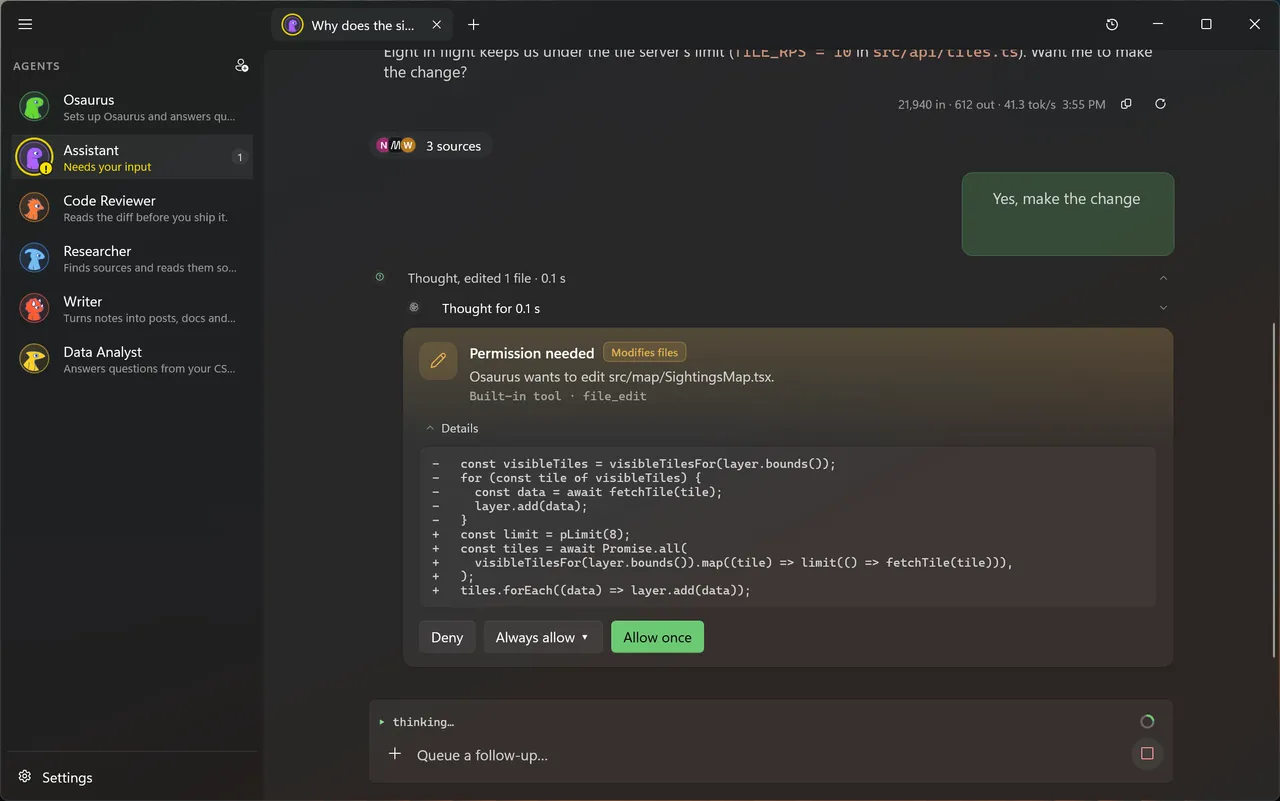
An Osaurus agent on Windows answering a question about slow map loading, showing the files it read, the command it ran, a web search and a code fix.
Approvals

It asks before it edits.

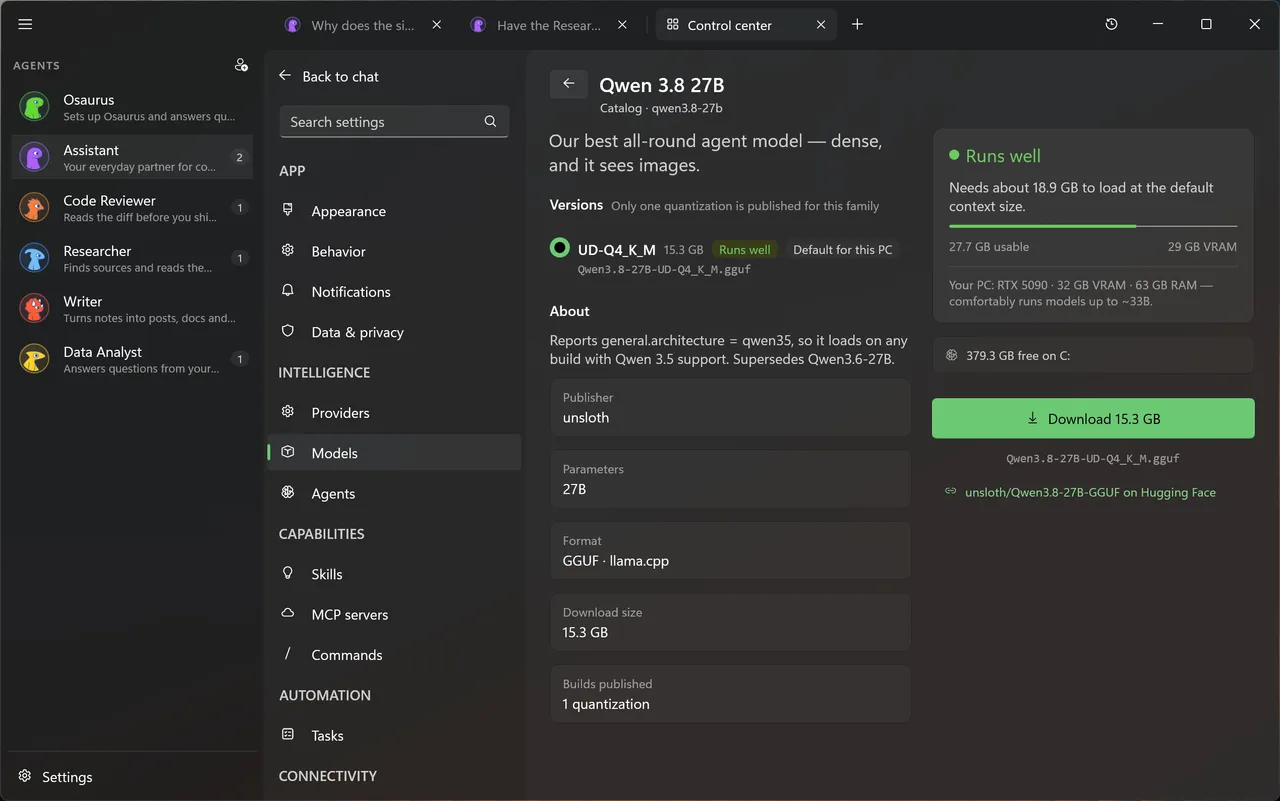
Agents ask before they edit a file or run a command. See the change, then allow it once, or always for that agent and folder. Every change is saved, so you can undo it later.

  • Approve inline, per agent and per folder
  • Every file change is saved and can be reverted
  • Set any agent to always ask, or never touch your files
Osaurus for Windows asking for permission before editing a file, with a diff of the change and Deny, Always allow and Allow once buttons.
Local models

Models that fit your PC.

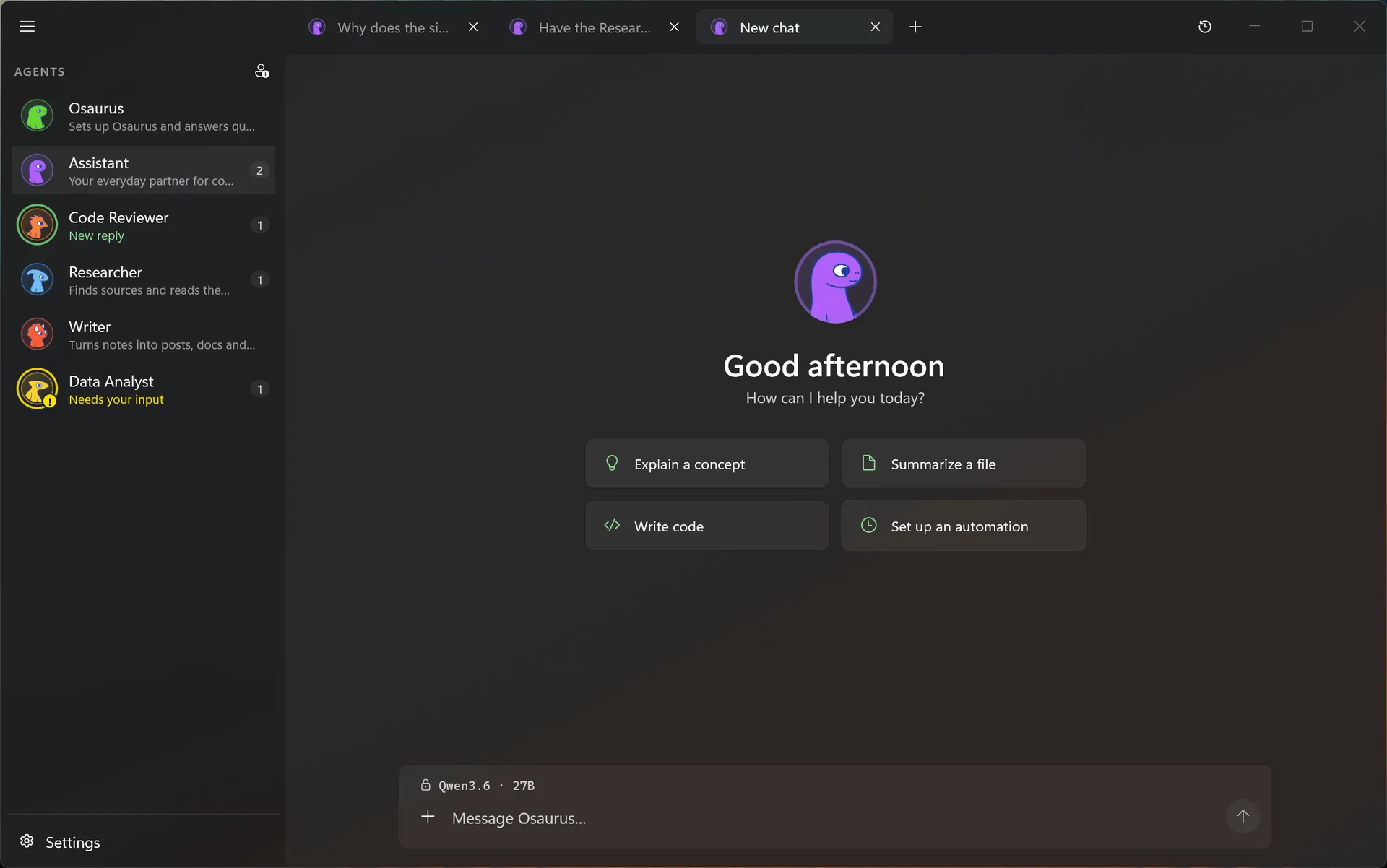
Osaurus checks your graphics card and memory and tells you what runs well before you download. It uses the fastest option your PC has: CUDA on NVIDIA, then Vulkan, then the CPU. Once a model is on disk, it works offline.

  • Qwen, Gemma, gpt-oss, Llama, and more from Hugging Face
  • Finds the models you already have in LM Studio and Ollama
  • Works with NVIDIA, AMD, and Intel graphics
The Osaurus model catalog on Windows showing Qwen 3.8 27B, its GGUF quantization, VRAM fit on an RTX 5090 and a Download button.

What ships in the beta.

These are built in today. There is nothing extra to install.

  • A browser your agent drives.

    Watch it work through a site, take over when you want, then hand it back. Logins stay in an encrypted vault.

  • Runs while you are away.

    Schedule a task for every morning, or start one when a file lands in a folder.

  • Message it from other apps.

    Talk to your agents from Telegram, Slack, or Discord, or connect them to n8n.

  • Your agents, on your iPhone.

    Pair an iPhone with Osaurus Connect and pick up a conversation away from your desk.

  • Connect your tools.

    Connect MCP servers, including ones that use OAuth sign-in. Their tools go through the same approvals.

  • A local AI server.

    Point any OpenAI-, Anthropic-, or Ollama-compatible app at 127.0.0.1:1337, and it uses your models.

  • Memory and skills.

    Agents keep a memory of your work, with a note of where they learned each thing. Import new skills from GitHub.

  • A sandbox for code.

    Agents can install packages and run code in a Linux sandbox on WSL, away from your files.

One set of agents.
Any model you choose.

Choose a model for each agent and switch any time without losing its memory or skills. Run open models on your PC, sign in with a plan you already have, or bring your own keys.

Rather not manage keys? Osaurus Cloud credits give you frontier models from a prepaid balance. They are optional, and only for cloud models.

Sign in

  • ChatGPT
  • Claude Pro or Max, through Claude Code
  • xAI
  • OpenRouter

Your API key

  • OpenAI
  • Anthropic
  • Google Gemini
  • Azure OpenAI
  • DeepSeek
  • Venice
  • Any OpenAI-compatible endpoint

On your PC

  • Open models on your GPU
  • Ollama
  • Another Osaurus PC on your network
  • OpenAI
  • Anthropic
  • Google Gemini
  • xAI
  • OpenRouter
  • Venice
  • Ollama
  • LM Studio

Private by default.

Your chats, keys, and models live on your PC. Local models never touch the network. When you choose a cloud model, only that agent sends anything, and only to that provider.

  • Encrypted on disk.

    Chats, memory, and keys sit in an encrypted database, locked to your Windows account.

  • Privacy Filter.

    Swaps personal details for placeholders before a prompt reaches a cloud model, shows you what it found, and puts the real values back in the reply.

  • No account.

    Install it and start. You only need an Osaurus account for cloud credits or Workspaces.

  • Diagnostics are your choice.

    Usage analytics and crash reports help us fix the beta. Turn either one off in Settings, under Data & privacy.

Runs on the PC you already have.

Any Windows 11 PC runs Osaurus with cloud models. Local models want a graphics card with 8 GB of video memory.

With cloud models

  • Windows 11
  • x64 or ARM64
  • Any graphics card, or none
  • An internet connection for the provider

With models on your PC

  • 8 GB of video memory or more: NVIDIA, AMD, or Intel
  • 16 GB of RAM
  • About 20 GB free for a typical model
  • Internet once, to download the model

No 8 GB graphics card? Use cloud models, and keep the agents, memory, and tools on your PC. On ARM64 laptops, local models run on the CPU unless the PC has an NVIDIA GPU.

Still have questions?

Ask the people who build it in the Windows community.

Get it from the Microsoft Store

Own your AI. On Windows.

Free on the Microsoft Store. No account, no subscription.

The newsletter

Release notes, new skills, and product news. No spam.

No spam. Unsubscribe anytime.